Bugzilla和Mantis安装部署

Bugzilla和Mantis安装部署

Bugzilla 部署步骤有的小麻烦,但Mantis部署很简单,下载包,数据库设置按部就班就可以了。

这里记录一些安装中的问题:

mantis1.Mantis 配置文件config_inc.php,需要修改的内容:
数据库配置:
$g_hostname = ‘localhost’;
$g_db_type = ‘mysql’;
$g_database_name = ‘jaguardb’;
$g_db_username = ‘dbusr’;
$g_db_password = ‘xxxxxxx’;

配置时区:
$g_default_timezone = ‘Asia/Shanghai’;
否则出现:SYSTEM WARNING: ‘date_default_timezone_get(): It is not safe to rely on the system’s timezone settings. You are *required* to use the date.timezone setting or the date_default_timezone_set() function.

2.Bugzilla 安装配置
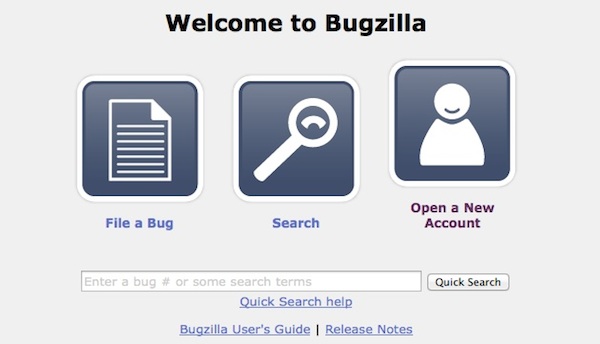
bugzilla

1.安装perl模块
检查依赖的CPAN包模块:sudo perl checksetup.pl,进行安装
sudo perl install-module.pl  –all
报错: install_driver(mysql) failed: Attempt to reload DBD/mysql.pm aborted. Compilation failed in require at (eval 1231) line 3, <DATA> line 577.

sudo ln -s /usr/local/mysql/lib/libmysqlclient.18.dylib  /usr/lib/libmysqlclient.18.dylib

2.配置localconfig配置文件
$db_driver = ‘mysql’;
$db_host = ‘localhost’;
$db_name = ‘bugszilla’;
$db_user = ‘dbusr’;
$db_pass = ‘acbxxxxxxx’;
3.配置Apache文件/etc/apache2/httpd.conf

<Directory “/Library/WebServer/Documents/bugzilla”>
Options ExecCGI FollowSymLinks
AddHandler cgi-script .cgi
DirectoryIndex index.html index.html.var index.cgi
order deny,allow
Allow from all
</Directory>

Mac OSX配置部署Apache+php+mysql

Mac OSX配置部署Apache+php+mysql

Mac OSX 系统本身已经集成apache,php,perl,因此只要更改一些配置,另外mysql需要安装。

PHP-Mysql

1.启动Apache

    sudo apachectl start

配置文件的位置:/private/etc/apache2/httpd.conf
关注这里。访问http://localhost网站根目录:index.html.en首页文件。

DocumentRoot “/Library/WebServer/Documents”

我的MAC原来10.6,一步一步(10.7-10.8)现已经升级至10.9.2用户目录下本身已经存在Sites目录(用户文件目录)和网页文件。为了可以直接访问用户目录下得网站目录Sites:

建立软链接:

  sudo ln –sf  /Users/wangzhe/Sites /Library/WebServer/Documents/Sites

在httpd.conf  添加:

<Directory “/Users/wangzhe/Sites”>
Options Indexes FollowSymLinks
AllowOverride None
Order allow,deny
Allow from all
</Directory>

或者在/private/etc/apache2/httpd.conf 加上

Include /private/etc/apache2/users/*.conf

访问出现:403 Forbidden. You don’t have permission to access /Sites on this server.

配置多次修改错误一直存在。怀疑权限问题。User/wangzhe /Sites  权限为:drw-r–r–+  需要修改为755。

chmod 755 User/wangzhe /Sites

问题解决!

2.配置php

php配置文件在/etc/php.ini  ,可将原有php.default.ini 重命名为php.ini
将/etc/apache2/httpd.conf 中php支持注释去掉。浏览器中测试PHP。

3.安装配置 mysql 和phpmyadmin

(1)下载MySQL Community Server  选择Mac OS X 10.7 (x86, 64-bit), DMG Archive 下载

(2)安装mysql-5.6.17-osx10.7-x86_64.pkg ,MySQLStartupItem.pkg以及MySQL.prefPane. 安装的目录在 /usr/local/mysql-5.6.17-osx10.7-x86_64

(3)建立软链接

ln –s /usr/local/mysql-5.6.17-osx10.7-x86_64/bin/mysql /usr/local/bin/mysql
ln –s /usr/local/mysql-5.6.17-osx10.7-x86_64/bin/mysqladmin /usr/local/bin/mysqladmin

(4)启动mysql,使用系统偏好设置中的可视化面板或者在终端输入:

sudo /usr/local/mysql/support-files/mysql.server start

(5) 修改mysql 用户root密码

mysqladmin -u root password ‘passwd’

(6)安装phpMyAdmin,将下载phpMyAdmin-4.1.12-english.tar.gz解压到:

/Library/WebServer/Documents下,重命名为phpMyAdmin。

(7) 修改配置:将phpMyAdmin下的config.sample.inc.php文件重命名为config.inc.php,修改

$cfg[‘Servers’][$i][‘host’] = ‘localhost’; 将localhost修改为 127.0.0.1

浏览器中输入http://localhost/phpMyAdmin/

至此,环境部署完毕。